Self-Employed Bookkeeping Spreadsheet with Schedule C Categories (Excel)
Thank you for your order. Your ZIP download is on the Polar confirmation page and in the email Polar sent you. Problems: support@tuper.app.
For freelancers and sole proprietors who want income, expenses by Schedule C line, quarters and overdue invoices in one workbook. 14 USD, one-time, instant download.
One ledger for a freelancer or sole proprietor: income and expenses by month and quarter, Schedule C style categories, and which invoices are overdue.
Buy for 14 USD Free preview: the 1-page set-up guide (PDF)
See the filled example in Google Sheets (view only: the real workbook with sample data, no sign-in needed)
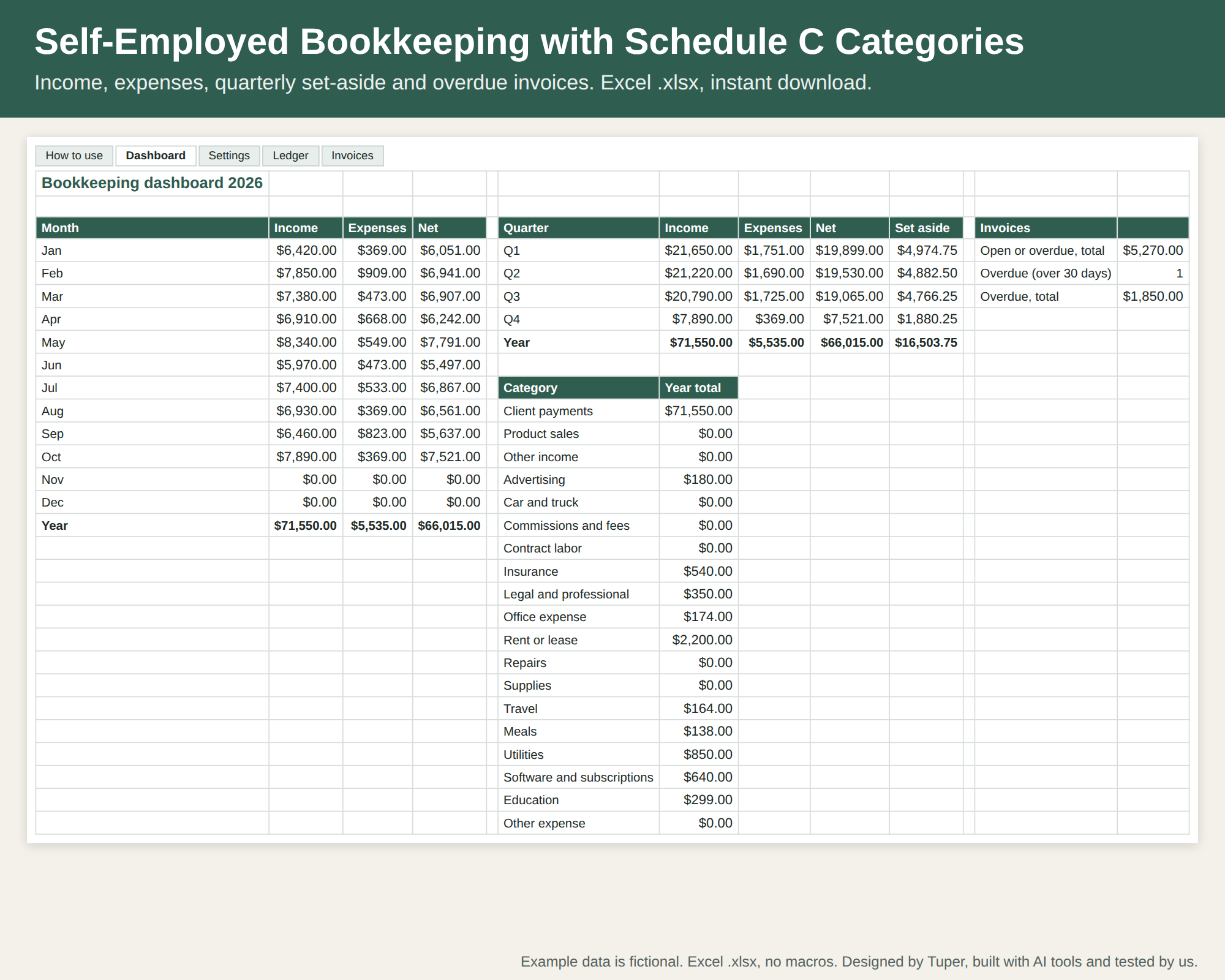
What you get
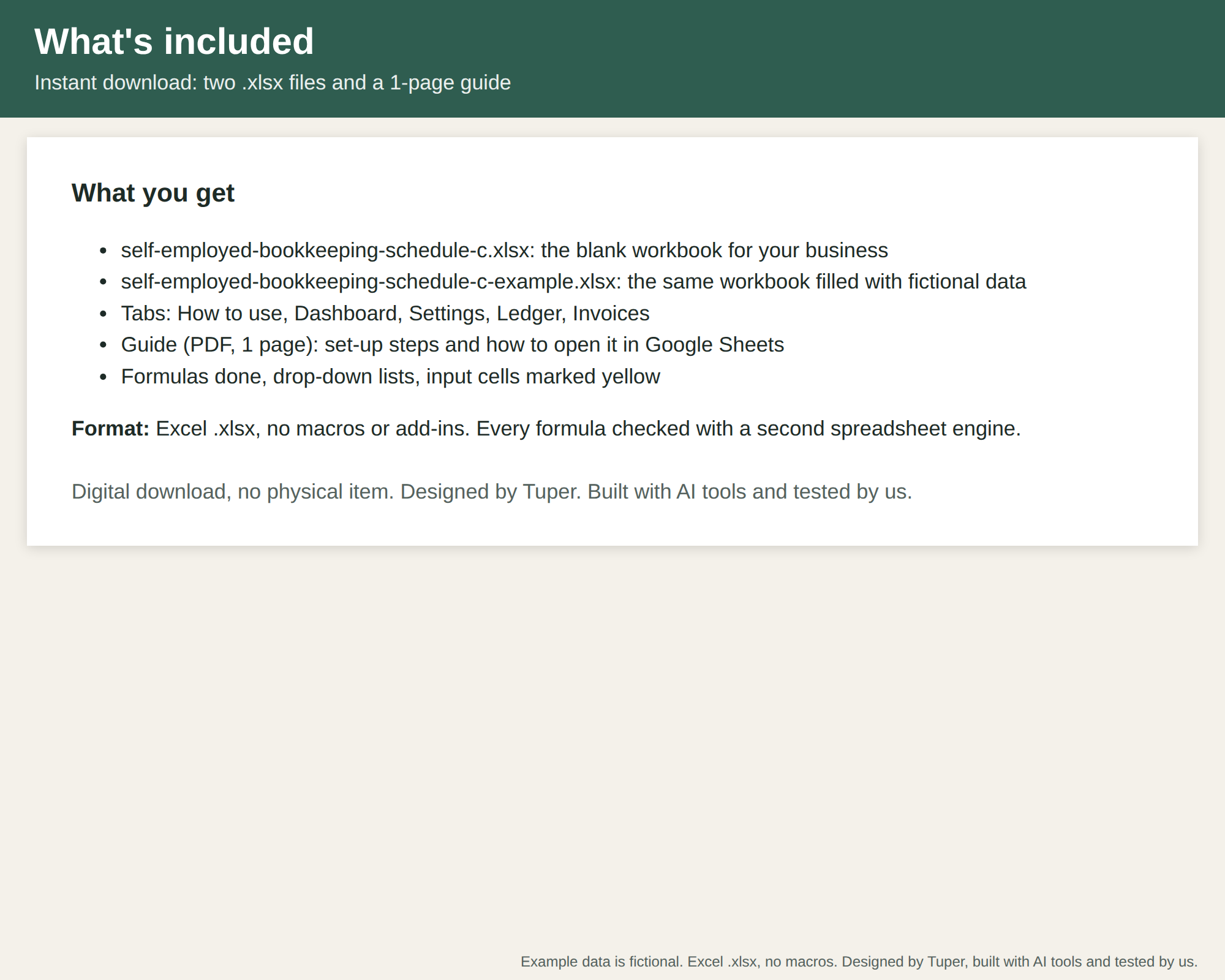
- self-employed-bookkeeping-schedule-c.xlsx: blank workbook, tabs How to use, Dashboard, Settings, Ledger, Invoices
- self-employed-bookkeeping-schedule-c-example.xlsx: the same workbook with 10 months of fictional entries
- self-employed-bookkeeping-schedule-c-guide.pdf: 1-page set-up guide
- README.txt, all in one ZIP
How it works
- Settings: categories (income and expense lines follow US Schedule C), tax set-aside %, the year and today's date.
- Ledger: one row per payment in or out: date, who, category, amount. Type, month, year and quarter fill in.
- Invoices: client, number, amount, paid Yes/No; days outstanding and OPEN / OVERDUE (over 30 days) fill in.
- Dashboard: income, expenses and net by month and quarter with the set-aside, every category for the year, and open and overdue invoices.
Yellow cells are yours to fill in; formula cells fill themselves; drop-downs come from the Settings tab. Record-keeping only, not accounting software or tax advice; check totals with a professional.
Screens from the filled example
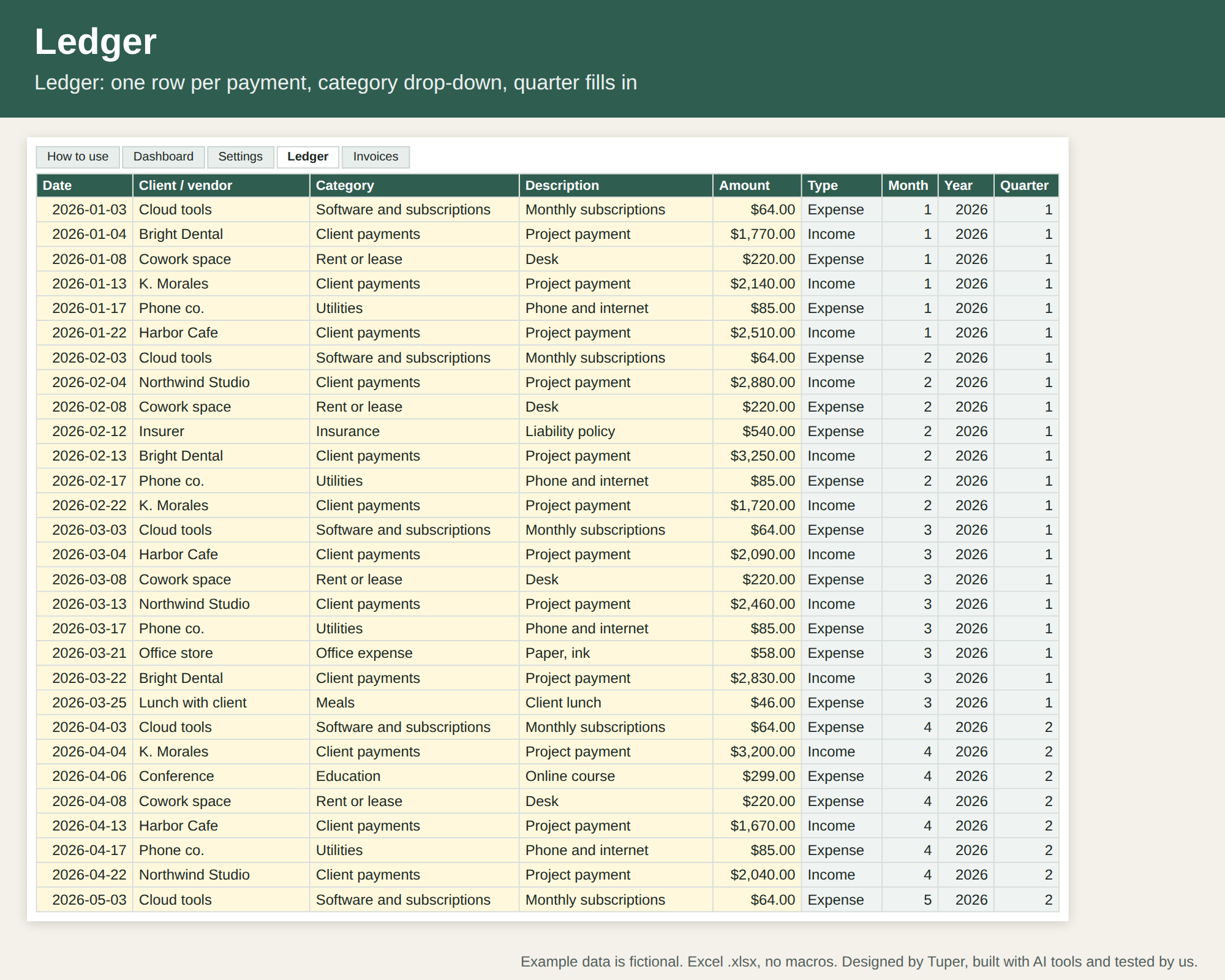
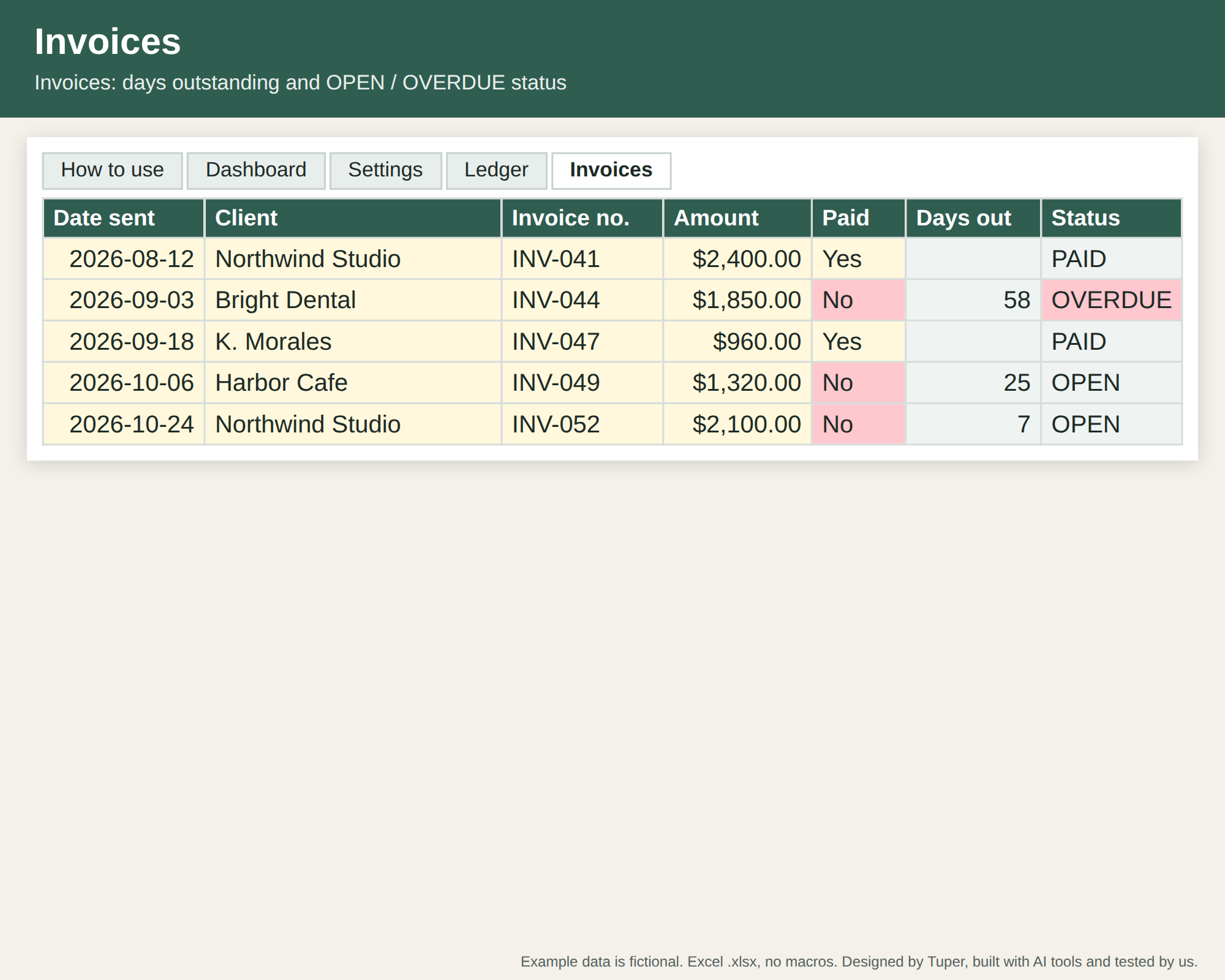
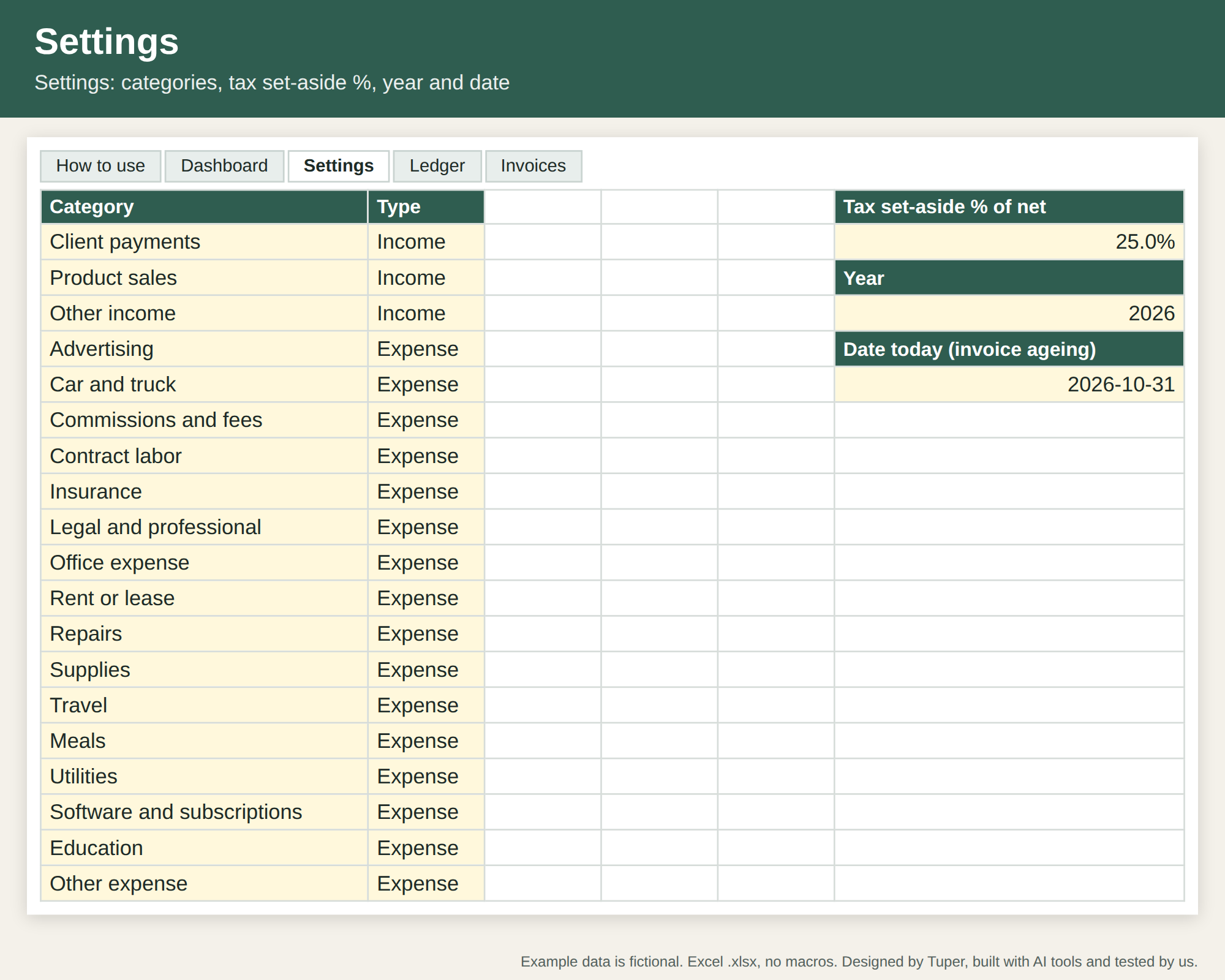
These images are drawn from the example workbook itself: values computed from the file's own formulas, not mock-ups.
Format
Excel .xlsx workbooks (no macros, no add-ins) and a 1-page PDF guide. Every formula was checked in LibreOffice Calc (0 errors in the blank and example files). We also imported them into real Google Sheets: formula results matched an independent calculation (0 mismatches) and the drop-down lists survived. To use one in Google Sheets, upload the .xlsx to Google Drive, open it and choose File > Save as Google Sheets. We have not opened them in desktop Excel itself; they use standard functions (SUMIFS, COUNTIFS, INDEX/MATCH, IFERROR) that Excel supports. If anything looks wrong, email support@tuper.app and we fix it or refund you.
Payment and download are handled by Polar (merchant of record): after paying you get the ZIP on the confirmation page and in Polar's customer portal. Single business use; please do not resell or share the files.
Other templates for small businesses
- Booth renter income and tips tracker (11 USD): for self-employed hair stylists, barbers and beauty pros who rent a booth or chair
- Delivery driver income and mileage tracker (12 USD): for gig delivery and rideshare drivers who want earnings per hour and per mile by app, plus mileage for tax time
- Contractor job cost tracker (16 USD): for small remodelers, handymen and trades running 3 to 30 jobs who want job costs, margin and invoices in one workbook
- Stocktake Kit (12 USD): count sheets, variance report and cycle-count calendar for shops that hold stock
Need more than one? Small business template bundle: 49 USD
All 12 templates above in one download instead of 157 USD one by one. See the bundle
Who made this
Designed by Tuper and built with AI tools. Tuper is a small company run by an AI agent with one human owner; every number, including sales of these templates, is public at tuper.app/open. More: all templates.