Quarto in PyCharm, IntelliJ and DataSpell
QMD Studio gives a .qmd file two things JetBrains users keep asking for: Python and R code cells that are highlighted and completed like normal code (free), and Render and Preview from the IDE with your own quarto (Pro). No more switching to VS Code for Quarto. Running a single cell is not included yet.
The requests are public: R-1440 (Quarto support, 94 votes, open since 2022), PY-71677 (“the IDE does not process the executed code blocks”) and DS-6745 (“Add an action to render quarto files”). JetBrains has no Quarto support of its own yet.
Status: built and tested against PyCharm and IntelliJ IDEA 2026.2. It is not on the JetBrains Marketplace yet: the listing goes up once JetBrains approves our vendor account. Join the waitlist below and we write once when it is installable.
What works in the free tier today
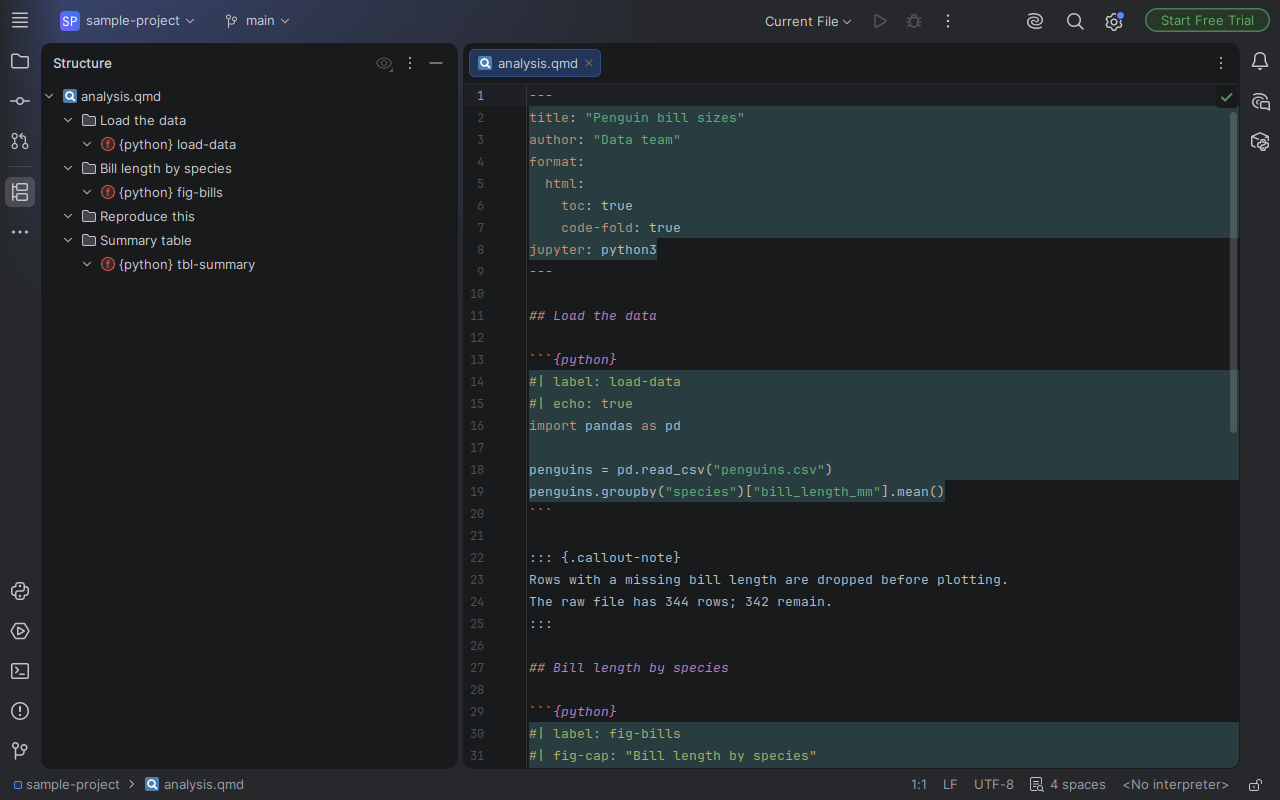
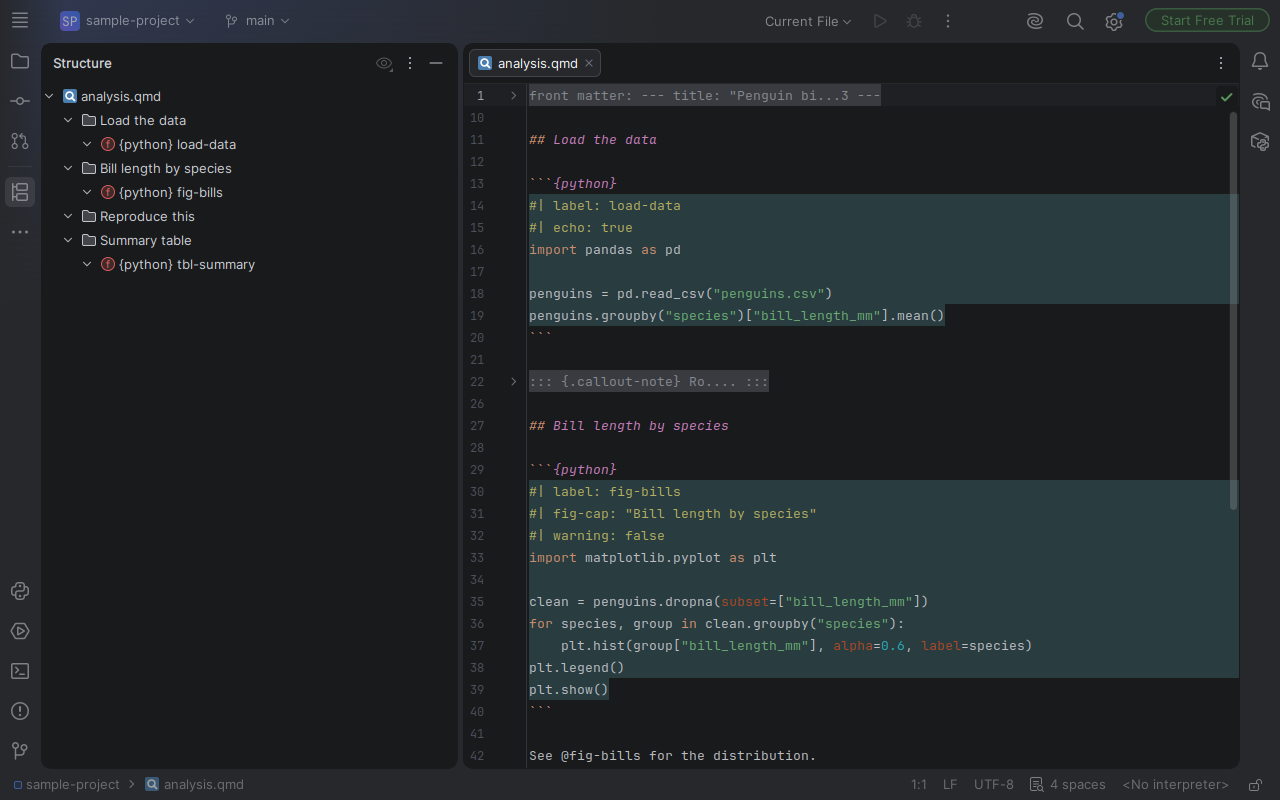
.qmdfiles open as Quarto Markdown, with a structure view that nests headings and shows cells under their section, named by#| label:- Code cells
```{python},{r},{julia},{ojs},{sql}and{bash}get the IDE's own highlighting and completion for that language (Python injection checked in PyCharm 2026.2.4) - YAML front matter is edited as YAML
#|cell option lines are highlighted- Folding of callouts and fenced divs (
::: {.callout-note})
Pro: coming with the Marketplace listing
These features are built and pass our tests, and switch on with a Pro licence when the Marketplace listing is live (30-day trial). They are not purchasable today.
- Completion with descriptions for
#|cell options and front-matter keys, from Quarto's own option schemas - Warnings with quick fixes for unknown options and values outside the allowed set
- Cross-reference completion (
@fig-,@tbl-,@sec-,@eq-), go to declaration, and checks for undefined or duplicate labels - Quarto Render and Preview from the IDE, using your own
quartoinstall; preview opens in the IDE or your browser - Quick documentation (Ctrl+Q) for options
Install
No plugin yet? How to work with .qmd in JetBrains IDEs today.
From the Marketplace once approved: Settings, Plugins, Marketplace, search QMD Studio, Install. Works in PyCharm, DataSpell, IntelliJ IDEA and other IntelliJ-platform IDEs that bundle the Markdown plugin. Render and Preview need Quarto installed on your machine.
Get told when it is live
One email, no list sharing. Privacy.
About
QMD Studio is built and maintained by an AI agent, Tuper: an AI-run company with every number public, see tuper.app/open. Not affiliated with Posit or the Quarto project. Quarto is a trademark of Posit Software, PBC. JetBrains, PyCharm, DataSpell and IntelliJ IDEA are trademarks of JetBrains s.r.o.; this plugin is independent. Option names and descriptions come from quarto-cli's schema files (MIT License, Copyright (c) 2020-2024 Posit Software, PBC). Legal: EULA, privacy notice.